The Frustration of the "Code Expired" Screen
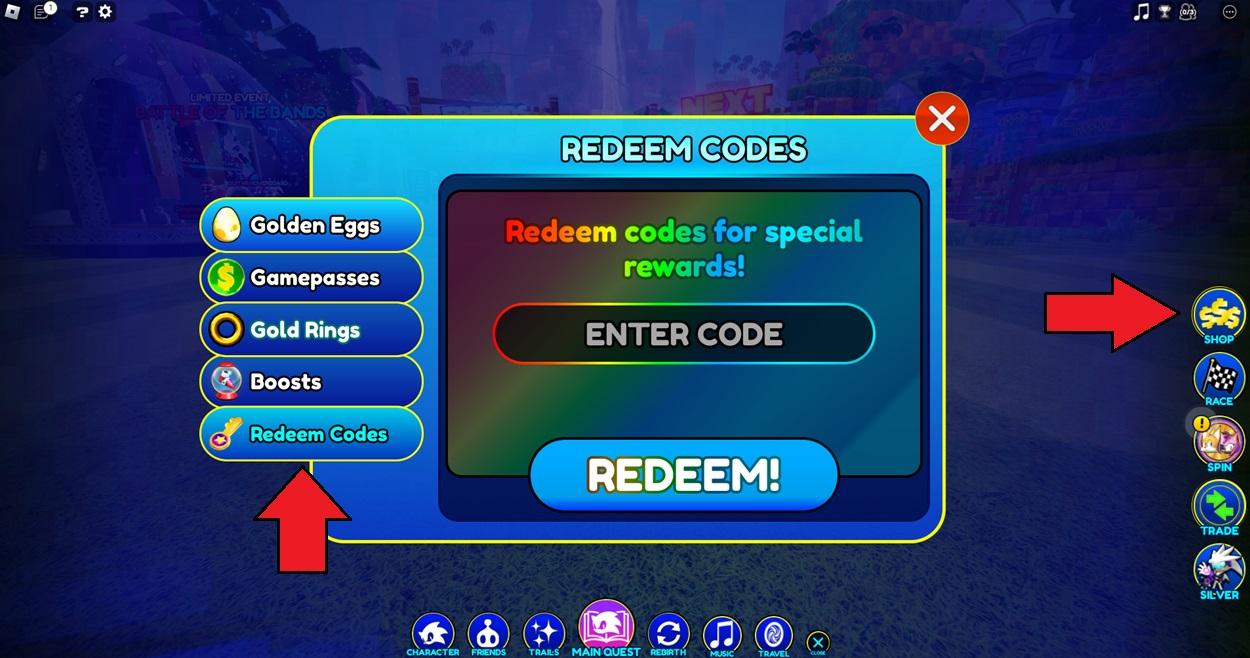
If you play popular Roblox experiences like Blox Fruits, Blade Ball, Anime Vanguards, or Dress to Impress, you have almost certainly encountered this frustrating scenario: a YouTuber or TikTok creator posts a list of "insane working codes," you launch the game, carefully type the string into the redemption box, hit submit, and get greeted with a red error: "Code Expired" or "Invalid Code".
Many players assume that code expiration is random or that developers intentionally deactivate codes to annoy their community. In reality, promotional code systems in Roblox are sophisticated live-ops mechanisms driven by strict server architectures, in-game macroeconomic balance, and marketing algorithms.
Understanding how developers design, schedule, and retire promotional drops will help you anticipate expiration patterns, avoid wasted time on fake drops, and claim high-value rewards before quotas run dry.
How Roblox Code Systems Work Under the Hood
To understand why codes disappear so quickly, it helps to know how code validation is implemented by Roblox studio developers in Luau (Roblox's optimized programming language).
Roblox code verification generally follows one of two technical architectures:
1. Hardcoded Table Validation (Static Updates)
In simpler or older games, code strings and their respective rewards are stored in a static Lua dictionary on the game server:
local PromoCodes = {
    ["RELEASE500"] = { RewardType = "Gems", Amount = 500, Active = true },
    ["SUMMER2026"] = { RewardType = "EXP_Boost", Duration = 1800, Active = false }
}
When a developer wants to expire a code in a static setup, they must manually change Active = false in Roblox Studio and publish a new version of the game. This means the code only expires once all game servers restart.
2. Cloud Remote Config & MemoryStore (Dynamic Real-Time Expiration)
Modern top-tier Roblox experiences use MemoryStoreService or external cloud databases (such as Firebase, Supabase, or custom REST APIs) connected via HttpService.
With dynamic remote configs, developers can set automatic expiration timestamps (Unix epoch times) or maximum redemption thresholds. When you click Redeem, the server queries a distributed cache. If the current time exceeds the expiration threshold or the redemption counter hits the limit, the server rejects the request instantly across every live shard without requiring a game update.
The 5 Hidden Reasons Roblox Codes Expire So Fast
Across thousands of monitored Roblox titles, code deactivations boil down to five core engineering, economic, and promotional factors:
1. Hard Maximum Redemption Quotas (Claim Caps)
Many developers do not tie codes to calendar dates; instead, they attach them to maximum claim limits.
For example, an anime RPG studio might release a code on Discord announcing: "Use code LUCKYSPINS — valid for the first 50,000 players!"
[ Developer Drops Code ] ──> [ 250,000 Concurrent Players ] ──> [ 50,000 Quota Reached in 12 Mins ] ──> [ Code Auto-Expires ]
In games with 100,000+ concurrent users, a 50,000-claim quota can be exhausted in less than 15 minutes. When late players try to redeem it an hour later, the database returns an expired status, even though the drop occurred that exact same day.
2. In-Game Macroeconomic Inflation Control
Roblox simulators and RPGs rely heavily on progressive gameplay loops: grinding currency, rolling for rare pets, or upgrading weapons. When developers distribute free codes that grant premium gems, stat resets, or currency multipliers, they inject massive purchasing power into the virtual economy.
If powerful codes remain active indefinitely:
- New players instantly skip early-game progression milestones.
- Trade economies collapse due to pet/item oversupply.
- Player retention drops because progression goals become trivialized.
- Developer monetization via Robux game passes and boosts declines.
To protect their in-game economy, developers intentionally keep high-impact codes (such as Free Stat Resets in Blox Fruits or 2x Luck Potions in Pet Simulator 99) active for short windows—frequently between 24 and 72 hours.
3. Social Media & Algorithmic Engagement Spikes
Roblox developers use promotional codes as leverage to achieve specific social milestones:
- Reaching 100,000 Likes on the Roblox game page.
- Gaining 50,000 followers on X (Twitter).
- Boosting concurrent voice-chat attendance during a live Discord stage event.
Once the milestone target is achieved and the promotional hype wave peaks, the utility of that specific code drops for the studio. Leaving old codes active provides zero incremental marketing value, so studios cycle them out in favor of the next upcoming milestone target (e.g., deactivating 100KLIKES to prepare for 150KLIKES).
4. Patch Decommissioning and Server Instance Desynchronization
When developers release hotfixes or major content patches (such as Update 25), old feature flags and deprecated item IDs are wiped from the master database.
Codes tied to retired seasonal mechanics (like Halloween candies, Winter tokens, or summer raid passes) must be turned off to prevent game-breaking inventory glitches or server crashes.
Furthermore, during global update rollouts, older server instances that have not yet restarted may reject new codes, while updated servers accept them. This causes conflicting reports where some players claim a code works while others report it as broken.
5. Compensatory "Sorry for Downtime" Sprints
When unexpected Roblox platform outages or critical bugs wipe player progress, developers often issue generous apology codes (e.g., SORRYFORBUG, SHUTDOWNFIX).
Because these codes offer massive temporary buffs (such as 3 hours of double experience or 1,000 free rerolls) to compensate actively affected players, developers deliberately program them to expire as soon as the maintenance window concludes.
Decoding Redemption Errors: What the Game Is Really Telling You
When your redemption attempt fails, the specific error banner provides clear diagnostic clues:
| Error Displayed | Underlying Technical Cause | What You Should Do |
|---|---|---|
| "Code Expired" | The developer set Active = false, the Unix timestamp passed, or the claim quota was exhausted. |
Do not waste time retrying; the code is permanently deactivated in the master datastore. |
| "Invalid Code" | The input string does not match any entry in the code dictionary (case mismatch, whitespace, or fake code). | Check for accidental leading/trailing spaces and verify capitalization (AnimeCodes vs ANIMECODES). |
| "Already Redeemed" | Your Roblox UserId is already flagged in the player's saved redemption array. | Codes can only be redeemed once per account unless a developer performs a global code reset. |
| "Level / Rank Requirement Not Met" | Anti-bot / Anti-alt gate enforced by the developer (e.g., must be Level 25+). | Complete early tutorial quests to level up your character before attempting redemption. |
| "Must Join Group to Redeem" | The script checks Player:IsInGroup(GroupId) before granting rewards. |
Open the game's Roblox group page, click Join Group, and rejoin a fresh game server. |
Why Clickbait Videos and Social Scams Spread Fake Codes
A massive percentage of "expired" codes were actually never real in the first place.
On YouTube Shorts, TikTok, and automated scraper blogs, bad actors frequently invent flashy fake codes (e.g., FREE_100000_ROBUX or UNLOCK_ALL_SECRET_PETS) to generate clicks, watch time, and ad revenue.
When unsuspecting players test these fabricated codes in-game, the game displays "Invalid Code", which players often mistake for a code that "just expired".
How to Spot Fake Drops Instantly
- Robux Claims: No in-game Roblox code can ever grant real account Robux. Any code claiming to give free Robux is 100% fake.
- Generic Naming: Real codes almost always reflect developer handles, recent milestone numbers, or current update names (e.g.,
SUB2UNCLEKIZARU,UPDATE_20_PART2). - Absence from Official Discord: If a code cannot be found in the game's official verified Discord announcements channel, it does not exist.
How LootBeam Tracks Real-Time Code Expirations
Traditional gaming wikis and legacy blogs often leave expired codes listed as "Working" for weeks because they rely on slow, manual monthly updates.
At LootBeam, our mission is to eliminate dead codes through three layers of real-time validation:
- Direct Official Tracking: We monitor verified developer Discords, X feeds, and Roblox event logs the second updates deploy.
- Community Verification Engine: Every code card on LootBeam features interactive "Worked" and "Expired" feedback telemetry from thousands of active daily players.
- Automated Status Deprecation: When community feedback or our verification bots detect that a code is returning redemption errors, the code is instantly moved to the Expired Codes archive.
Before you spend hours manually testing dead codes in your favorite games, check the live LootBeam Game Directory to view active drops verified in real time.
Frequently Asked Questions
Can an expired Roblox code ever become active again?
Yes. While uncommon, developers occasionally "reactivate" legacy codes during major game revamps or anniversary events. For example, some tower defense games re-enable anniversary codes for a 48-hour nostalgia weekend.
Why do anime games expire codes faster than simulator games?
Anime action games (like Anime Vanguards and King Legacy) have highly competitive PvP, trading, and leaderboard ladders. Giving players permanent access to free stat rerolls or summon tickets creates immediate power creep, forcing developers to enforce much tighter expiration windows (often 24 to 48 hours).
Does capitalization matter when entering codes?
In over 95% of Roblox games, code redemption strings are strictly case-sensitive. Entering Release instead of RELEASE will trigger an "Invalid Code" error. Always use exact string copy-and-paste to avoid casing errors.
Why does a code work for my friend on PC but fail for me on Mobile?
This usually occurs when you are on an older, un-updated server instance while your friend connected to a freshly spun-up server with the latest remote config. To fix this, leave your game, wait 30 seconds, and rejoin to land on an updated server shard.