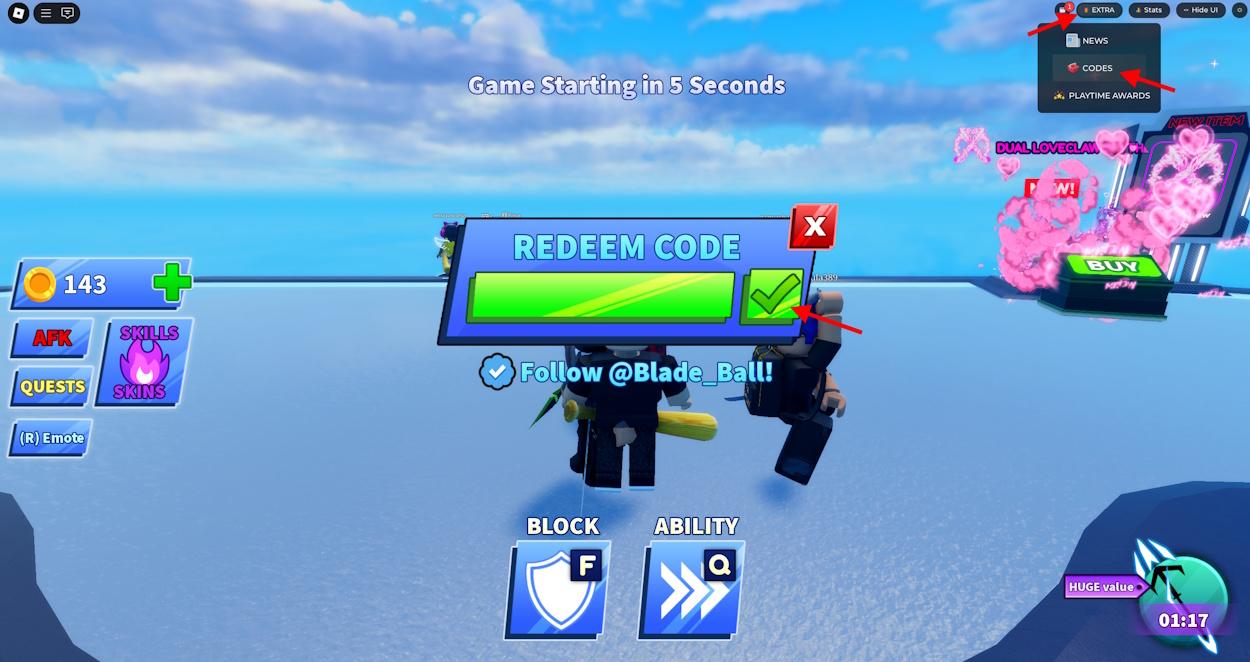
The Fast-Paced World of Roblox Reward Drops
In the modern Roblox ecosystem, high-demand promo codes often have tight redemption caps or short lifespans. Some developers release "flash codes" valid for only the first 50,000 players, while others deactivate codes within 24 hours of an update drop.
If you rely solely on manual Google searches or casual browsing, you will frequently arrive after codes have expired. By adopting a systematic approach to code tracking, you can ensure you never miss out on exclusive rewards. In this in-depth guide, we cover the top 7 strategies leveraged by content creators and elite players to track and claim drops with 100% consistency.
Tip 1: Master the Official Discord Notification Setup
Developer Discord servers are the ground zero where almost 80% of all new codes are first posted. However, being in a server is useless if you miss the notification ping amidst thousands of chat messages.
- Set Channel Overrides: In the developer server, find the
#codes,#updates, or#announcementschannel. - Customize Notification Settings: Right-click the channel (or tap and hold on mobile), navigate to Notification Settings, and change from "Only @mentions" to All Messages.
- Mute General Chat: Keep the rest of the server muted so your notification tray only alerts you when official announcements go live.
- Enable Desktop and Mobile Push: Ensure Discord has background notification permissions on your mobile device to receive instant lock-screen alerts.
Tip 2: Leverage X (Twitter) Lists Without Algorithm Delays
Twitter/X algorithms often display tweets hours or days after they are published, causing you to see code drops long after they expire.
- Create a Dedicated Private List: Create an X List named "Roblox Code Drops" and set it to private.
- Add Core Developer Handles: Add lead game designers, community managers, and official studio accounts to this list.
- Pin and Check Chronologically: Pinned lists display posts in strict reverse-chronological order without algorithmic suppression, letting you spot announcements within seconds of posting.
- Turn On Account Bell Notifications: For your top 3 most-played games, click the bell icon on the developer's Twitter profile to get instant SMS or push alerts.
Tip 3: Understand Server Rollouts and Client Lag
When a game studio pushes a new patch with new codes, the code redemption database must propagate across hundreds of active Roblox game servers worldwide.
- Old Server Desynchronization: If you are playing on an older server instance created before the patch deployed, entering a newly announced code will often return "Invalid Code".
- The Fix: Rejoin the game through a fresh server instance or spawn into a VIP private server to ensure your client is communicating with the updated game build.
- Check Server Age: Open the developer console (
F9on PC) or check server uptime scripts to ensure the instance was launched after the patch timestamp.
Tip 4: Copy-Paste Hygiene and Hidden Formatting Characters
Formatting artifacts from social media apps are the number one cause of false "Invalid Code" errors among players.
- Leading / Trailing Whitespace: When copying text on mobile devices, dragging the selection handle often captures an invisible trailing space character. Many game scripts do not run
string.trim()on user input, causing the match to fail. - Smart Quotes and Dashes: Auto-correct features on iOS and Android can convert standard hyphens or straight quotes into typographic em-dashes and curly quotes. Always paste raw plain text.
- Case-Sensitivity Awareness: Capitalization matters in over 95% of Roblox games. If a code is written as
SUMMER2026!, submittingsummer2026!will be rejected by the validation parser.
Tip 5: Plan Boost Activation Around Your Schedule
Double-experience and drop-multiplier boosts run on real-time countdown clocks, not in-game active play time.
- Verify you have an uninterrupted 30-to-60 minute window before entering boost codes.
- Coordinate with guildmates or friends to ensure private server access or boss spawns are ready before activating your multiplier.
- Never redeem time-based boost codes right before a planned game update or scheduled server restart, as downtime will consume your remaining multiplier duration.
Tip 6: Use Aggregation Dashboards to Filter Noise
Manually checking dozens of Discord channels and social feeds daily can lead to notification fatigue and wasted hours. Centralized discovery hubs like LootBeam perform automated scraping and multi-source cross-checking across official channels, delivering real-time status, community feedback votes, and expiry warnings on a single streamlined page.
By consulting verified directories that remove expired codes within hours, you eliminate the frustration of testing dozens of stale codes from outdated blogs.
Tip 7: Protect Your Account from Code Scams
Legitimate Roblox codes are entered exclusively inside the game's official UI or on the official roblox.com/redeem domain.
- Red Flags: Any website, Discord bot, or player asking you to provide your password, security PIN, account cookie (.ROBLOSECURITY), or credit card in exchange for "secret codes" is attempting an account takeover scam.
- Survey Generators: Never complete third-party survey gates, download executable files, or install suspicious browser extensions claiming to unlock unlimited codes.
- Real developers never require personal credentials or payment to deliver promotional rewards.
Common Code Tracking Pitfalls Summary
| Mistake | Consequence | Pro Prevention Rule |
|---|---|---|
| Relying on Default Feeds | Missing flash codes by 3–5 hours. | Use pinned reverse-chronological X lists and Discord push overrides. |
| Redeeming on Stale Servers | False "Invalid Code" error message. | Rejoin a fresh public server or private instance after an update. |
| Accidental Whitespace | Code rejected despite being active. | Backspace after pasting to ensure no trailing space exists. |
| Offline Boost Waste | Multipliers expire while logged off. | Only redeem timed boosts when seated for an extended play session. |
| Trusting Unverified YouTube Videos | Wasting time testing clickbait codes. | Cross-reference codes against LootBeam or official developer social feeds. |
Frequently Asked Questions
Why does a code work for my friend but say "Invalid" for me?
This usually indicates a server version mismatch. Your friend is likely on an updated server where the new code has registered, while your current server instance is running an older game revision. Disconnecting and rejoining a new server fixes this in 99% of cases.
Can developers revoke rewards after redemption?
Under normal conditions, redeemed rewards remain permanently tied to your save data. However, if a code is exploited due to a critical server glitch (such as infinite currency loops), developers may perform a targeted database rollback to restore game balance.
Is it legal and safe to use automated code bookmarking tools?
Yes. Bookmarking web aggregators like LootBeam is completely safe and fully compliant with Roblox Terms of Service, as it only aggregates publicly announced developer promotional codes.